
If you’re just getting started with graphic design, you’ve probably heard people talk about Adobe Illustrator. But what is Adobe Illustrator, and why is it such an important tool for designers?
Before we dive in, if you’re interested in learning professional design tools, you can start with a free Adobe Creative Cloud trial here: https://adobe.prf.hn/click/camref:1101lKN6K
One of the biggest challenges for new designers is understanding which design software to use and when to use it. Many beginners hear terms like Illustrator, Photoshop, vector graphics, and raster graphics without really understanding what they mean.
In this guide, we’ll break everything down in simple terms so you can understand exactly what Adobe Illustrator is used for and why it plays such a critical role in modern graphic design.
What Is Adobe Illustrator?
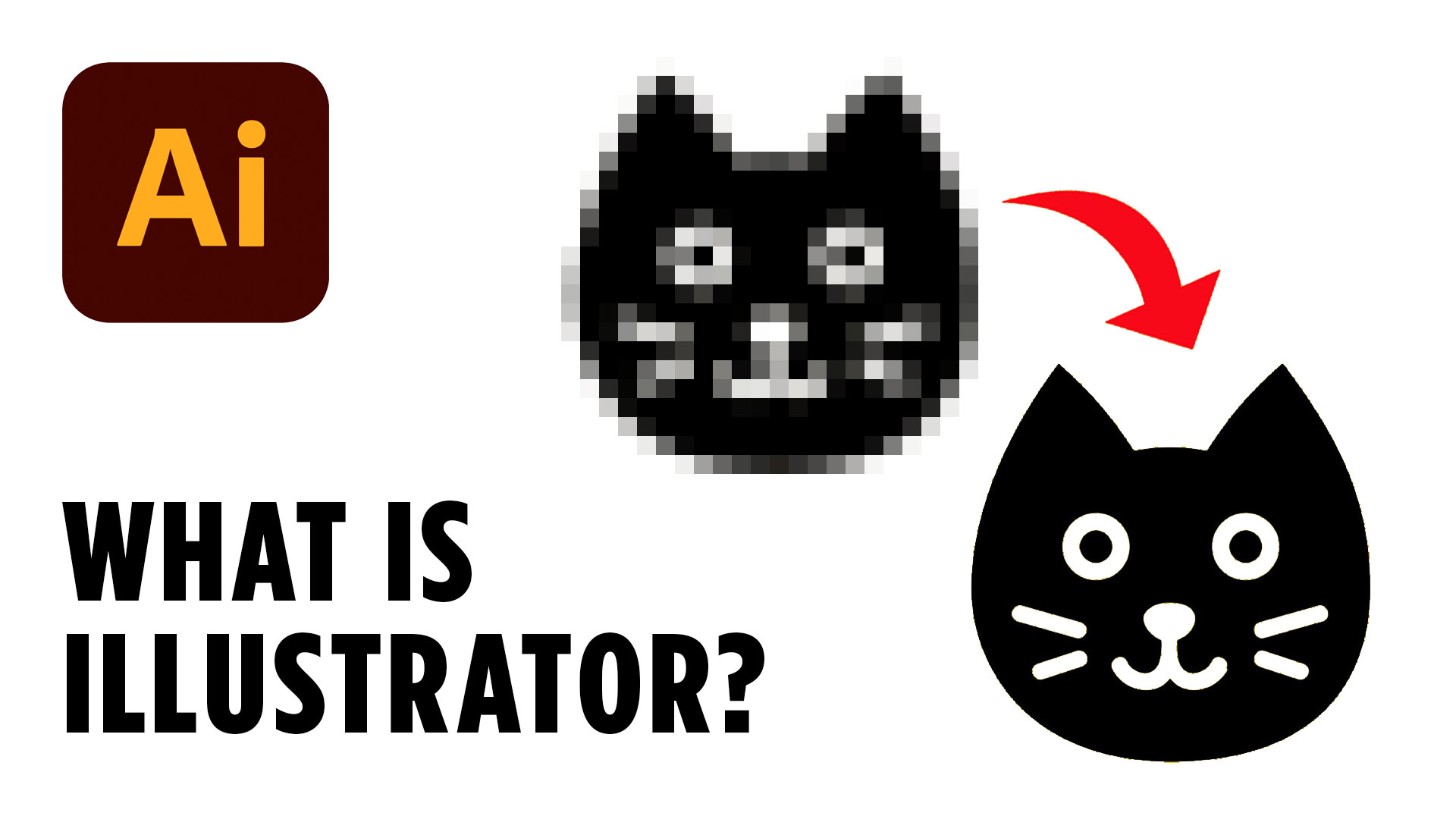
Adobe Illustrator is a professional design program used to create vector graphics.
Unlike some design software that relies on pixels, Illustrator uses mathematical paths and points to create artwork. This allows designs to be scaled infinitely without losing quality.
That means you can create a tiny icon for a website or a massive billboard for a business using the same file.
No matter how large or small the design becomes, it stays perfectly sharp.
This ability to scale artwork is one of the biggest reasons designers choose Illustrator for professional projects.
When people ask, “What is Adobe Illustrator used for?” the simple answer is that it’s the industry-standard tool for creating scalable graphics.
What Types of Designs Can You Create in Illustrator?
Illustrator is incredibly versatile and is used for many different types of design projects.
Some of the most common uses include:
- Logo design
- Brand identity systems
- Icons
- Illustrations
- Packaging design
- Infographics
- Typography projects
- Marketing graphics
- Signage
Think about a company logo for a moment.
That logo might appear on a business card, website, social media profile, company vehicle, storefront sign, or billboard.
Because logos need to work at many different sizes, they are typically created in Illustrator using vector graphics.
The same concept applies to icons and illustrations that need to remain crisp and professional wherever they are used.
Adobe Illustrator vs Photoshop: What’s the Difference?
One of the most common questions beginners ask is whether they should use Illustrator or Photoshop.
The answer depends on what you’re creating.
Photoshop is primarily designed for editing photographs and working with pixel-based images.
Pixels are tiny squares that make up a digital image. When you zoom into a photograph far enough, you’ll eventually see those individual pixels.
The problem is that pixels don’t scale infinitely.
As you enlarge a raster image, it becomes blurry and loses detail.
Illustrator works differently.
Instead of pixels, Illustrator uses vectors. These vectors are made up of paths, anchor points, and mathematical calculations that allow artwork to scale without losing quality.
This means you can zoom in endlessly on vector artwork and it will continue to look sharp.
A simple way to remember the difference is:
Photoshop = Photos and pixel-based graphics
Illustrator = Logos, icons, illustrations, and vector graphics
Both tools are powerful, but they are designed for different purposes.
Understanding Vector Graphics
To fully understand what Adobe Illustrator is, you need to understand vector graphics.
A vector graphic is made up of paths rather than pixels.
These paths are controlled by points that can be moved, adjusted, and reshaped.
Because vectors are based on mathematical formulas, the computer redraws the artwork perfectly every time it changes size.
This is why designers rely on vectors for professional branding and logo design.
Imagine creating a logo that’s one inch wide.
Now imagine enlarging it to the size of a building.
A vector graphic can do that while maintaining perfect clarity.
A raster image cannot.
That’s why learning vector design is such an important skill for aspiring graphic designers.
Is Adobe Illustrator Hard to Learn?
Many beginners open Illustrator for the first time and immediately feel overwhelmed.
The interface contains dozens of tools, panels, menus, and settings.
The good news is that most professional designers use a relatively small collection of tools on a daily basis.
Once you understand the core vector tools, Illustrator becomes much easier to use.
Learning tools such as:
- Selection Tool
- Direct Selection Tool
- Pen Tool
- Shape Tools
- Pathfinder
- Shape Builder
will allow you to create a surprising number of professional designs.
The key is focusing on fundamentals rather than trying to learn every feature at once.
As your confidence grows, you can gradually explore more advanced techniques.
Why Every Aspiring Designer Should Learn Illustrator
If your goal is to become a graphic designer, Illustrator is one of the most valuable tools you can learn.
It teaches you how professional vector graphics are built and helps you understand important design concepts such as shape, composition, hierarchy, and scalability.
Whether you want to create logos, branding systems, illustrations, or marketing materials, Illustrator provides the foundation needed for professional design work.
The sooner you become comfortable with vector graphics, the easier it becomes to create designs that work across both digital and print applications.
Final Thoughts
Hopefully, this guide has helped answer the question: What is Adobe Illustrator?
Understanding the difference between vector and raster graphics is one of the most important concepts for any new designer. Once you grasp how Illustrator works and why vectors matter, you’ll be able to choose the right tool for the right project and build stronger design skills much faster.
If you’re serious about improving your design skills, be sure to download the free resources below and try the tools that professional designers use every day.